
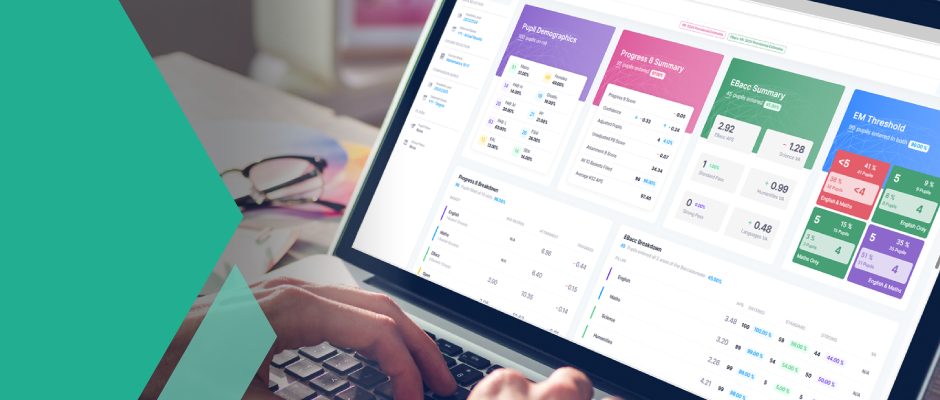
Welcome to 4Matrix Online
Welcome to 4Matrix.net, the technical support site for 4Matrix. Please login with the username and password given to you in your welcome pack. The latest version is version 2.0.2.7.
Live Support System
If you wish to discuss 4Matrix, or have a technical problem, click the Live Support icon on the right and chat to us directly. Once you are in contact, we can provide remote support to fix problems. If Live Support is unavailable, please login and submit details using the 'Support Issues' section.
Alternatively, please email details of problems to chris@4matrix.org and provide a direct telephone number if possible.
Future developments
We have many exciting new features planned for 4Matrix. See FAQ for more information. We aim to make 4Matrix an indespensable tool for handling your critical performance data.
There is an Installation Guide and a User Guide available on the Download page which covers every step of installing and using 4Matrix. The Application Guide is continually being revised to include these new features.
Installation
We now provide a new installer that is a simpler to use and has some more advanced features.
If you haven't yet installed 4Matrix, we could do it for you remotely, Otherwise go to the downloads page and refer to the install notes which describe a simple stepwise process.
Is it safe to install?
Installing 4Matrix is a standard Microsoft SQL database installation. There are no issues installing this. In particular we have spoken to Capita SIMS (Chelmsford) and they acknowledge that 4Matrix can be installed on a school server and make read access to SIMS using techniques provided by our partner company who are a SIMS Premier Partner.
Please email me, Mike Bostock, at mike@4matrix.org if you have any suggestions, comments or particular issues. My direct number is 01277 232352 if you have an urgent issue. We guarantee to solve any problem you may experience when using 4Matrix.
Update 2.0.2.7
Submitted by Administrator on Fri, 16/07/2010 - 5:00am- New Press Release featuere will produce headline figures in August.
- Two new video tutorials
- Setting up teaching groups so they display
- How to use the graph to show variations in learning
- New CMIS import functions
- Database viewer - see what data you have
- New Diploma qualifications addd
- Extra print options
- Improvements to editing features
Update 2.0.2.6
Submitted by Administrator on Fri, 11/06/2010 - 5:00am- Various improvements to data layer
Update 2.0.2.5
Submitted by Administrator on Thu, 27/05/2010 - 5:00am- Stability improvements
- New print options
- Two new video tutorials:
- Teacher research into achievement
- Importing data from an MIS
Update 2.0.2.4
Submitted by Administrator on Fri, 30/04/2010 - 5:00am- Improvements to Subjects Summary and User Interface
